Count the handoffs.
That’s the entire evaluation, compressed. Every tool on this page can build a competent model. Gradient boosting on tabular business data stopped being a hard problem years ago, and the accuracy gap between the top platforms on a typical churn dataset is small enough that it rarely decides anything. What still takes months is everything wrapped around the model: the analyst who writes the extract, the engineer who builds the pipeline, the data scientist who checks for leakage, the ops person who pushes scores into the CRM, and the Slack threads sitting between each of those steps.
DataRobot’s own 2026 survey put the average time from idea to production at 7.3 months. That figure measures coordination.
So we ranked these ten tools by handoff count: how many separate people have to touch the work between “we should probably predict churn” and “the CS team is calling the right accounts on Monday morning.” Fewer handoffs, higher rank. It’s a different question from “which platform is most powerful,” and for most teams reading this, it’s the more useful one.

Predictive analytics tools at a glance
| Tool | Best for | Coding required | Handoffs to production | Typical setup | Price tier |
| Pecan | Business teams who need predictions inside their CRM | None | 1 | About a week | $$ |
| DataRobot | Enterprises with ML teams and governance requirements | Light | 2 to 3 | Weeks | $$$ |
| ThoughtSpot | BI teams who want forecasting inside natural-language search | None | 1 to 2 | Days | $$$ |
| Dataiku | Mixed teams of analysts and data scientists | Optional | 3+ | Weeks to months | $$$ |
| Alteryx | Analysts automating data prep, with modeling attached | Light | 2 to 3 | Weeks | $$$ |
| H2O.ai | Data science teams in regulated or air-gapped settings | Yes | 3+ | Months | $$$ |
| Tableau | Salesforce shops who want predictions on dashboards | None | 3 | Weeks | $$ |
| SAS Viya | Regulated enterprises with an existing SAS estate | Optional | 3+ | Months | $$$ |
| Azure ML | Teams already standardized on Azure with engineering support | Yes | 4+ | Months | Usage-based |
| KNIME | Analysts with real skill and no budget | Light | 2 to 3, plus you own the infrastructure | Weeks | Free to $ |
What are predictive analytics tools?
Predictive analytics tools are software platforms that read your historical business data, find the patterns inside it, and produce a forward-looking score for something you care about. Churn risk. Expected lifetime value. Next month’s demand for SKU 4471. If you want the full definition, we’ve covered what predictive analytics means in more depth elsewhere.
The category splits into three camps, and picking the wrong camp is the expensive mistake.
BI platforms bolt prediction onto reporting. They’re wonderful at showing you last quarter and adequate at projecting a trend line forward. Code-first infrastructure gives engineers total control over training, tuning, and deployment, at the cost of needing engineers. Purpose-built predictive platforms sit in between and automate the modeling workflow for people who won’t be writing Python.
Most buying regret traces back to camp confusion. A marketing ops manager buys ML infrastructure and discovers six months later that she needs a data scientist to use it. A data science team buys a no-code platform and chafes against the ceiling within a quarter.

How we ranked these tools
Full disclosure before you read further: we make one of these tools, and we put ourselves at number one. Every vendor-run ranking does this. What we can offer is the standard we used, so you can check our work and disagree with it.
Four criteria, weighted in this order:
Handoffs to production. How many people have to be involved between the question and the acted-on prediction. Every handoff adds days and adds a person who can deprioritize your project.
Where predictions land. A prediction that lives in a CSV export is a prediction nobody acts on. Scores that appear in Salesforce, HubSpot, or a warehouse table that already feeds your campaign tooling are worth several multiples of the same scores in a dashboard.

Guardrails by default. Data leakage and overfitting are the two failure modes that quietly ruin business predictions. Platforms that catch them automatically deserve credit that rarely shows up in feature comparisons.
Honest total cost. License plus the salaries required to operate the thing. A free tool that needs a $180,000 analyst is not free.
One caveat worth stating plainly. If you already employ data scientists, the bottom half of this list is arguably the top half. Ranking by distance to decision favors automation, and automation is exactly what a good ML engineer wants less of.
The 10 best predictive analytics tools in 2026
1. Pecan AI
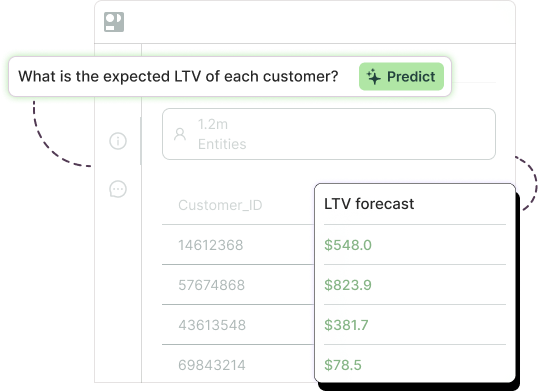
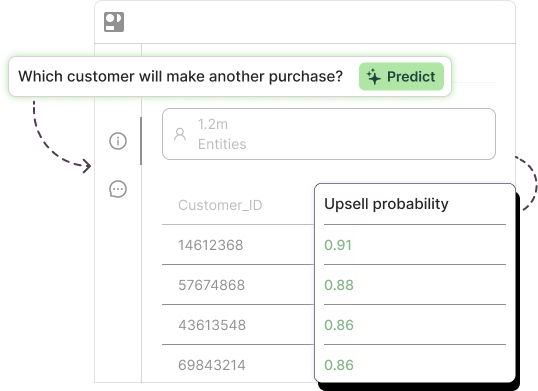
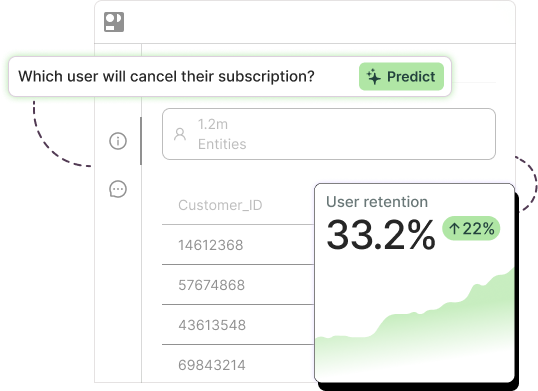
Pecan is a predictive AI agent built for business teams. You ask a question in plain English (“which customers are likely to cancel next quarter?”), and the agent handles the rest: data preparation, joins, time windows, feature engineering, model selection, training, and statistical validation. Predictions land in Salesforce, HubSpot, or your warehouse, with explanations and confidence scores attached.
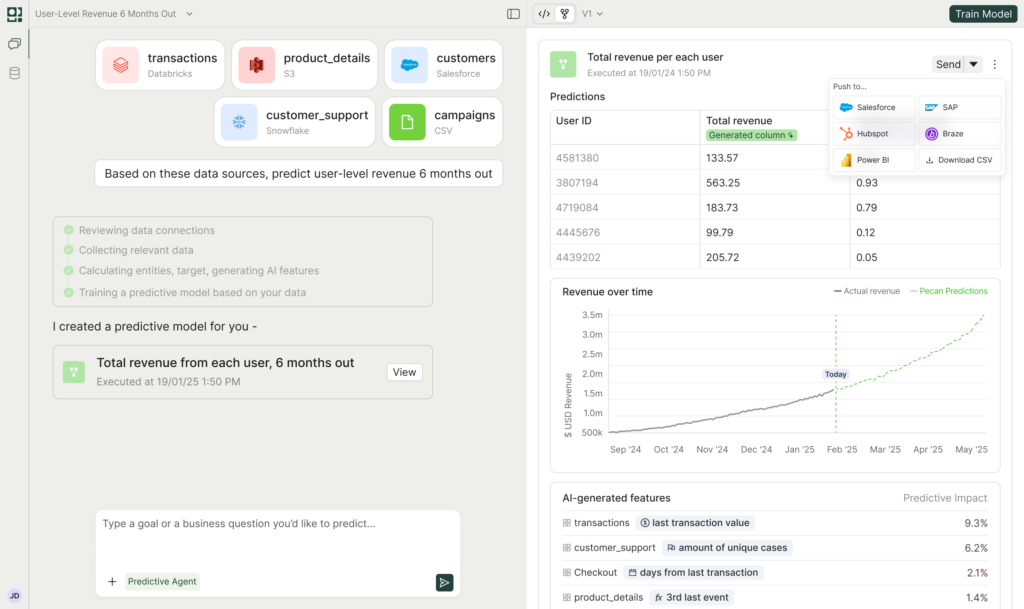
The design bet is that the modeling was never the bottleneck for business teams. Getting to a validated model without borrowing three specialists was. Pecan connects to raw, messy, event-level historical data as it already exists in Snowflake, BigQuery, Redshift, or Databricks. No cleaning project first.
Strengths: One handoff to production. Built-in guardrails against data leakage, overfitting, and unbalanced labels, which are the errors that make a business prediction confidently wrong. Models reach production in roughly a week. ALTHERR, a European industrial supplier, generated €878K in pipeline and €278K in closed-won revenue within five weeks of deploying buy-back propensity models. Clearwave Fiber cut churn 20x in its highest-risk customer segment.
Limitations: If your team already owns the SQL, runs a warehouse well, and employs data scientists who want to control feature code line by line, the automation will feel like a ceiling rather than a gift. Pecan also focuses on tabular business prediction. It isn’t the tool for computer vision or building LLM applications.
Best for: Marketing ops, RevOps, customer success, finance, and demand planning teams who own a number and don’t own a data scientist.
Pricing: Tiered plans that stay affordable relative to what this capability costs to build in-house, with custom pricing at the enterprise end.
2. DataRobot
DataRobot pioneered enterprise AutoML and has since repositioned around agentic AI, now marketing itself as an agent workforce platform. The core predictive engine remains excellent: point it at a target variable, launch Autopilot, and it trains hundreds of models, ranks them on a leaderboard, and surfaces feature impact and prediction explanations before deployment.
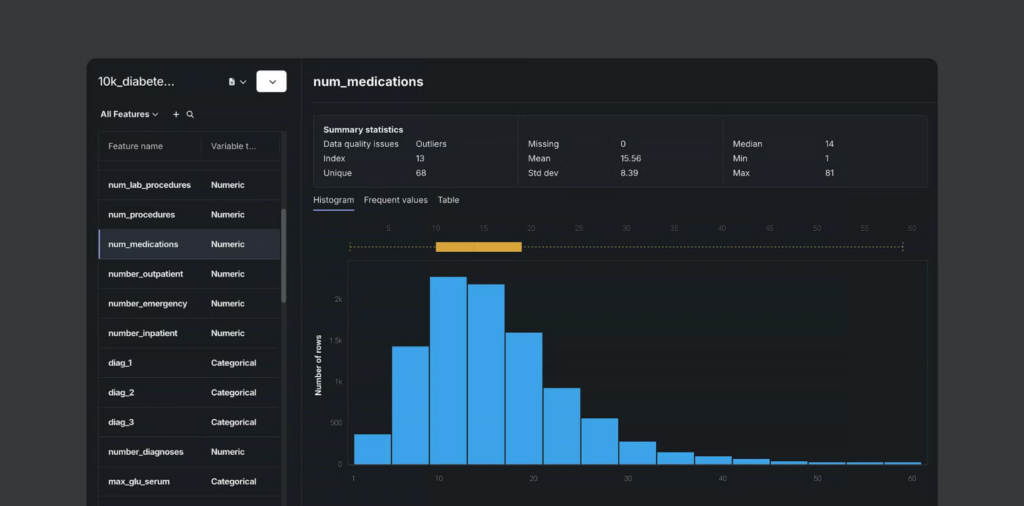
Strengths: Deep MLOps. Drift monitoring, audit trails, and governance tooling that satisfies risk committees. DataRobot reports being named a Leader in the 2026 Gartner Magic Quadrant for AI Platforms for Data Science and ML for the third year running.
Limitations: Expensive, and priced in a way that pushes teams to keep finding new use cases to justify the contract. Users on Gartner Peer Insights report preferring the classic interface to the newer one. Business teams still need a technical partner to get data ready.
Best for: Enterprises with an existing ML function and real governance obligations.
3. ThoughtSpot
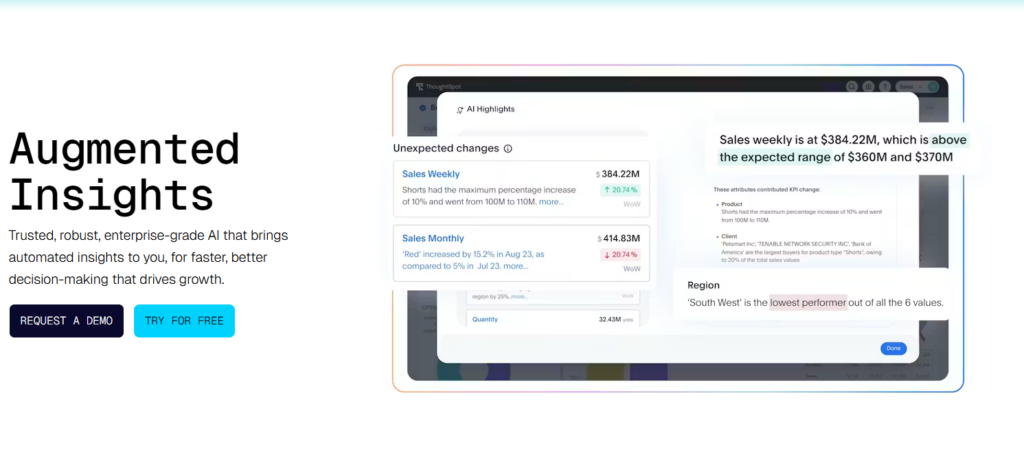
ThoughtSpot rebuilt BI around natural-language search, and its Spotter agent family now handles a good chunk of the analytics workflow. Spotter 3 added forecasting and Python execution, and can reason across structured and unstructured sources. SpotIQ generates time-series forecasts using an LSTM-based model, factoring in seasonality and related metrics.
Strengths: Very short path from question to answer. The MCP server exposes Spotter inside Slack, Salesforce, and ServiceNow, which puts insights where people already work.
Limitations: Forecasting a KPI forward is a narrower job than scoring every customer for churn propensity. For entity-level prediction, you’ll still need a modeling platform underneath. Deeper Spotter versions also share more of your data with the underlying LLM, which some security teams will want to review.
Best for: BI teams who want trend forecasting and anomaly detection without leaving their analytics platform.
4. Dataiku
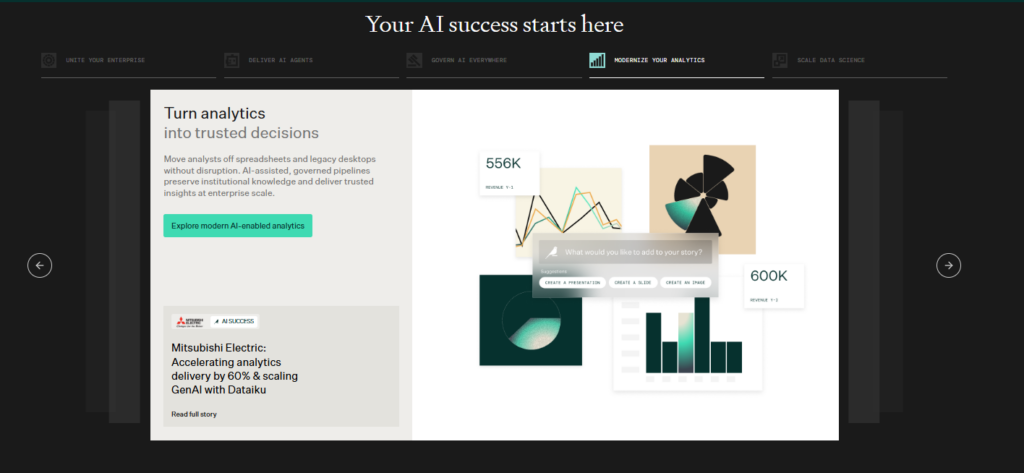
Dataiku is the collaboration platform for organizations where analysts and data scientists have to work in the same project. Visual flows for one group, Python and R notebooks for the other, AutoML available to both. Over 200 native connectors, plus a governance layer spanning ML, generative AI, and agents.
Strengths: Genuinely good at bridging skill levels inside one project. Strong explainability reporting, including fairness analysis and what-if scenarios. Dataiku reports being named a Gartner Magic Quadrant Leader for the fifth consecutive year.
Limitations: Enterprise pricing is quote-based and lands well into six figures for most deployments. A business user still can’t take a project from question to production alone.
Best for: Mid-size and enterprise data teams who need one environment for mixed technical skill levels.
5. Alteryx
Alteryx built its reputation on drag-and-drop data preparation, and that remains the strongest part of the product. The platform has consolidated into Alteryx One, covering Designer, Server, and Analytics Cloud, with an AI assistant named Annie layered on top.
Strengths: Designer ships with 300+ tools, and analysts who live in it become extremely fast at repeatable data work. It has largely replaced Excel drudgery across a lot of finance and ops teams.
Limitations: The predictive tools are an R-based add-on you download separately, and their depth doesn’t match purpose-built modeling platforms. Alteryx positions around data prep and automation rather than the full ML lifecycle, so model registries and governed deployment come from somewhere else. Per-user licensing scales uncomfortably.
Best for: Analyst teams whose real problem is data preparation, with prediction as a secondary need.
6. H2O.ai
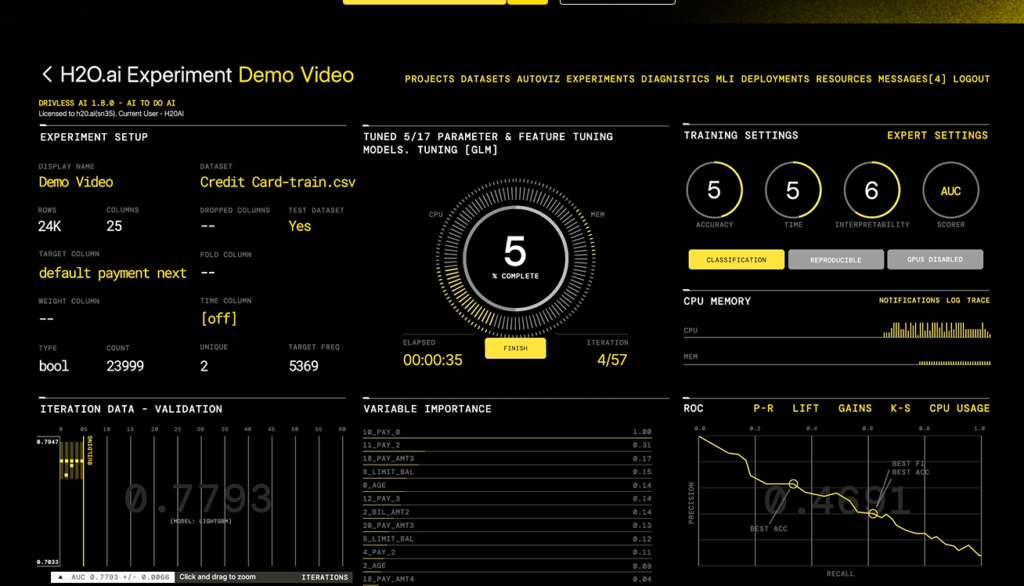
Driverless AI automates feature engineering, model selection, tuning, and interpretability, and it does the feature engineering part better than almost anyone. It runs on-premises, in a private VPC, or fully air-gapped.
Strengths: GPU-accelerated training. K-LIME and Shapley explanations that hold up in front of regulators. One credit-scoring reviewer noted it surfaces feature interactions a human would never have tried. H2O.ai reports being named a Visionary in the 2026 Gartner Magic Quadrant for AI Platforms for Data Science and ML.
Limitations: Built for data scientists, and it shows. Reviewers consistently flag a cluttered interface, a steep learning curve, and pricing that’s hard for mid-size firms to absorb.
Best for: Data science teams in banking, insurance, and healthcare where data sovereignty is non-negotiable.
7. Tableau
Tableau remains the best visual analytics tool available, and its predictive story runs through Einstein Discovery. You build the model in Salesforce, deploy it there, then surface predictions in Tableau through calculated fields, a dashboard extension, or a Tableau Prep prediction step.
Strengths: For Salesforce customers, the CRM-to-analytics-to-prediction path is short and well documented. Tableau Pulse handles proactive metric monitoring, and the Tableau+ bundle adds agentic capabilities across Cloud and Tableau Next.
Limitations: Predictive modeling requires a Salesforce license and a Salesforce admin. That’s a hard handoff, and it’s the reason Tableau sits here rather than higher. Without Einstein, you’re looking at trend lines.
Best for: Salesforce-native organizations who want predictions visible where they already look at data.
8. SAS Viya
Four decades of statistical credibility, now cloud-native and containerized. Viya covers the full lifecycle, supports SAS, Python, R, and Lua, and adds a Copilot for AI-assisted tasks. Governance, bias detection, and fairness testing are first-class features rather than add-ons.
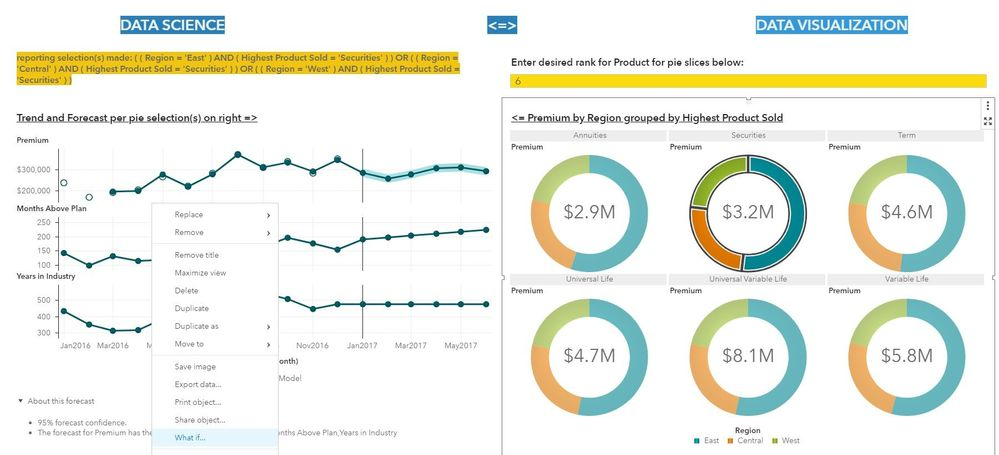
Strengths: Nobody gets fired for defending a SAS model to an auditor. Forecasting, econometrics, optimization, and event stream processing all live in one platform.
Limitations: Costly, with reviewers noting the expense compounds outside the base package. Steep learning curve without prior SAS exposure, and the interface can overwhelm.
Best for: Regulated enterprises with existing SAS investment and statisticians on staff.
9. Azure Machine Learning
AutoML for tabular, image, and text data, with fine-grained control over compute, experiment tracking, pipeline orchestration, and deployment to managed endpoints. If your organization already runs on Azure, the integration story is hard to beat.
Strengths: Mature MLOps. Model versioning, A/B testing, automated retraining, and a feature store that makes work reusable across workspaces.
Limitations: This is infrastructure, so expect four or more handoffs from question to production. Microsoft’s consolidation into Foundry also brings migration work: the Azure ML SDK v1 reached end of support on June 30, 2026, and teams still on it need to move to v2. Usage-based costs can surprise you on large training jobs.
Best for: Engineering-supported teams already standardized on Azure.
10. KNIME
The free desktop Analytics Platform is a serious piece of software, with 5,000+ nodes covering data access, transformation, machine learning, deep learning, and text mining. No feature restrictions, no seat limits, no license fee. The K-AI assistant helps build workflows, with 500 interactions included monthly.
Strengths: Zero-cost entry with genuine capability. Open architecture. One reviewer who has used both put it at roughly 90% of Alteryx’s functionality at 0% of the cost.
Limitations: Production is where free stops being free. Scheduling, REST deployment, and team collaboration require KNIME Hub, and Business Hub pricing is contact-only, with AWS Marketplace listings around $7,200 per month for the Standard edition before infrastructure. You also own every operational problem yourself.
Best for: Skilled analysts and teams whose budget constraint is absolute.
Best predictive modeling tools by team type
Team composition predicts tool success better than feature lists do.
Marketing ops and growth teams need lead scoring, campaign ROAS, and LTV models that push scores into the platforms where campaigns get built. Pecan and ThoughtSpot fit here. Anything requiring a Python notebook does not, regardless of how the demo looked.
RevOps and sales ops teams are usually drowning in leads and blind on which ones are warm. The determining question is whether scores can reach the CRM without an engineering ticket. Pecan and Tableau (if you’re on Salesforce) handle that path.
Analytics and BI teams with SQL fluency but no dedicated ML function get the widest range of options. Alteryx if data prep is the real bottleneck. Dataiku if you’re collaborating with data scientists. KNIME if budget is the binding constraint and you have the patience.
Data science teams should look at DataRobot, H2O.ai, SAS Viya, or Azure ML. You want control, and these give it to you. Automation you can’t override is a liability in your hands.
Demand and supply planning teams need time-series forecasting at SKU or location granularity, which is a different problem from classification. SAS Viya and purpose-built forecasting platforms handle the seasonality, hierarchy, and intermittency issues that trip up general-purpose tools.
Free predictive analytics tools: what they can and cannot do
Free options are better than most people expect. Prophet handles time series with seasonality and holiday effects and takes about twenty minutes to get running. Scikit-learn covers essentially every classical algorithm you’d want. KNIME’s desktop platform is free forever. Dataiku offers a Community Edition for up to three users.
Free works beautifully for learning, prototyping, and one-off analyses. If you want to know whether churn is predictable in your data at all, a scikit-learn notebook will tell you inside a day. Our guide on how to build your own model walks through what that actually involves.
Free stops working at three specific points. Scheduled retraining, because models decay and someone has to own the cron job. Delivery into business systems, because nobody has built the HubSpot connector for you. And accountability, because when the model quietly breaks in month four and nobody notices for six weeks, there’s no vendor to call.
The honest math: free software plus one analyst spending 30% of their time on maintenance costs more than most commercial licenses.

How to choose the right predictive analytics software
Start with the decision, working backwards.
Name the action a prediction would trigger. Not “understand churn better.” Something like “the CS team calls the top 200 at-risk accounts every Monday.” If you can’t name the action, no tool on this list will help, and you should sort that out before you sit through demos.
Then name the system where that action happens. Salesforce, HubSpot, a campaign platform, an ERP. Predictions have to arrive there, in a format the people doing the work already recognize. This single requirement eliminates roughly half the market.
Then count the people. Who prepares the data, who builds the model, who validates it, who ships it, who maintains it. If the answer for any of those is “we’d need to hire someone,” you’re evaluating in the wrong camp.
Then check the guardrails. Ask any vendor how their platform detects data leakage. The answer will be specific or evasive, and the difference tells you a lot. Leakage produces models that look brilliant in validation and fail the moment they touch reality, which is the most expensive failure mode in this category.
Finally, agree on the number you’ll judge it by, before signing. Churn points, incremental revenue, forecast error reduction. Whistle Express measured a 30% churn reduction. That’s the kind of clarity that makes a renewal conversation short.

Frequently asked questions
What are the 5 predictive analytic models?
Regression predicts a continuous number, like expected spend. Classification predicts a category, like churn or no churn. Clustering groups similar records without a predefined target. Time-series forecasting projects a sequence forward, accounting for trend and seasonality. Ensemble methods combine several models, usually gradient-boosted trees, and win most tabular business problems in practice. We compare the specific algorithms in our breakdown of ML models for churn.
What tools are used for prediction?
Three families. Purpose-built predictive platforms like Pecan and DataRobot. BI tools with prediction layered on, like ThoughtSpot and Tableau. And code-first infrastructure like Azure ML, plus open-source libraries including scikit-learn, XGBoost, and Prophet. The right family depends on who’s doing the work.
What are examples of predictive analytics?
Churn prediction flags customers likely to leave while there’s still time to intervene. Demand forecasting sets inventory before stockouts happen. Lifetime value modeling tells acquisition teams which customers deserve higher bids. Fraud and chargeback scoring catches bad transactions at authorization. Lead scoring ranks the pipeline so reps work the top of it.
What is the difference between predictive analytics and business intelligence?
BI explains what happened and why. Predictive analytics estimates what happens next. A BI dashboard shows churn climbed 4% last quarter. A predictive model names the 340 accounts most likely to churn in the next 90 days. Both matter, and they answer different questions. The distinction between predictive and generative AI is worth understanding too, which we cover in our piece on generative vs predictive approaches.
Are there free predictive analytics tools?
Yes. KNIME Analytics Platform, scikit-learn, Prophet, and Dataiku’s Community Edition all cost nothing. They’re strong for prototyping and learning. The cost reappears at production, in the form of engineering hours for scheduling, deployment, monitoring, and integration.
What to do next
The tools converged. That’s the real story of 2026. Model quality across the top of this market is close enough that arguing about AUC on a demo dataset is mostly a way to avoid the harder conversation about who’s going to operate the thing on a Tuesday in November.
So ask a different question in your next vendor call. Not “how accurate is it,” but “walk me through every person who touches this between my question and my team acting on the answer.” Make them count out loud. The number will tell you more than the feature matrix.
If that number should be one, book a demo and we’ll show you what a week to production looks like on your data.