Type “alteryx alternatives” into Google and you’ll find a dozen listicles that mostly do the same thing. They line up eight tools, hand each a star rating, and call it a comparison. After helping a fair number of teams pick analytics software, I’ve found that this format skips the one question that decides whether a switch actually pays off.
Most people searching for an Alteryx alternative are solving one of two different problems, and they don’t always know which camp they’re in. One group wants data prep and workflow automation: cleaning, blending, joining, scheduling. That’s the job Alteryx was designed around, and it’s good at it. The other group wants prediction. Which customers will churn. What demand looks like next month. Which leads are worth a rep’s time. Alteryx can do prediction too, mostly through its Intelligence Suite add-on, which costs extra and still expects someone on the team to know their way around an AI predictive model.
Two jobs, one product name. The right replacement depends entirely on which one you’re hiring for. Swap in a cheaper data-prep clone when what you actually needed was predictive analytics, and you’ll be reading another one of these guides in six months.
This list is sorted differently. I’ve grouped eight Alteryx competitors by the job they do best, with honest pros and cons for each (yes, Pecan is on here, and no, I’m not going to pretend it’s right for everyone). By the end you’ll know which tool fits your real problem, not just which one has the friendliest pricing page.

Why teams start shopping for an Alteryx alternative
Alteryx is a mainstay. The company crossed $1 billion in annual recurring revenue in 2025 and says customers ran more than 380 million automated workflows that year. For pure data engineering, it earns its reputation.
The friction usually shows up around cost and fit. After Clearlake Capital and Insight Partners took Alteryx private in a $4.4 billion deal that closed in March 2024, the product line got reorganized in May 2025 into a three-tier model called Alteryx One. Only the Starter tier carries a public number: $250 per user per month, billed annually, which lands around $3,000 a year per seat. Professional and Enterprise pricing is quote-only, which is why people searching “alteryx pricing” so often hit a wall of “contact sales.”
A handful of things push teams to look elsewhere:
- Cost climbs quickly. The legacy Designer license has listed near $5,195 per user per year, and the Intelligence Suite (the part that does machine learning and prediction) is a paid add-on on top of that. Procurement data suggests it can add a meaningful slice to a contract.
- The learning curve is steep. Alteryx is a deep platform, and depth takes time. Plenty of analysts love it once they’re fluent, but “no-code” doesn’t mean “no training,” and that gap frustrates business users who were promised easy.
- There’s no native Mac app. Alteryx Designer runs on Windows. Mac users end up on a virtual machine or shopping for cloud-based options instead.
- Prediction sits behind an add-on. If forecasting is the whole reason you showed up, you’re paying for a large data-prep platform to reach a feature that other tools put front and center.

None of that makes Alteryx a bad tool. It makes it a specific tool, with a specific price, aimed at a specific kind of user. The alternatives below each take that on from a different angle.
Two questions to ask before you switch
Before you scan the list, get clear on two things.

First, what’s your core job: data preparation or prediction? If you mostly wrangle and route data, you want a strong data prep tool or self-service analytics platform. If you mostly need to know what happens next, you want something built for prediction, and a general-purpose workhorse will feel like overkill.
Second, who actually uses it day to day? A platform that assumes a data scientist will fail in the hands of a marketing ops manager, and a tool aimed at business users can feel limiting to a seasoned analyst. Match the tool to the human, not the other way around.
With that settled, here are the eight.
1. Pecan AI
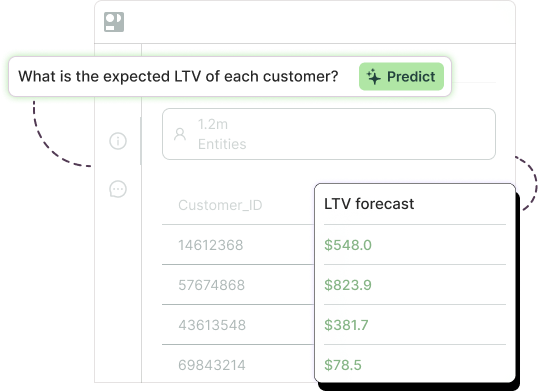
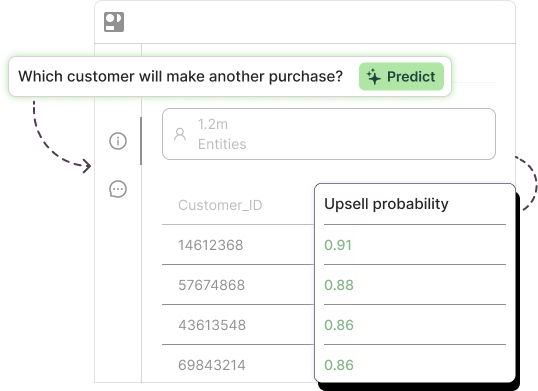
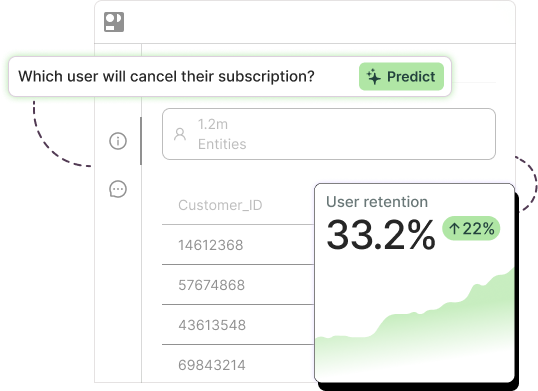
What it is: Prediction as the whole product. You connect raw business data, ask a question in plain language (“which customers are likely to cancel next quarter?”), and Pecan’s Predictive AI Agent handles data preparation, feature engineering, model building, and validation. Then it pushes the results into Salesforce, HubSpot, or your data warehouse, where decisions actually get made.
Best for: Marketing ops, RevOps, customer success, finance, and planning teams that want reliable forecasts without hiring a data scientist or waiting weeks for one.
Versus Alteryx: Alteryx hands you the building blocks and asks you to assemble the prediction yourself, or buy the Intelligence Suite and bring modeling know-how to the table. Pecan does the modeling and the validation for you, with guardrails against common pitfalls like data leakage and overfitting. Prediction is the starting point, not a bolt-on.

Pricing: Three published tiers, billed annually, with no setup fee. Starter is $760 per month (2 prediction batches, 500M rows of storage), Team is $1,400 per month (10 batches, 2 billion rows), and Business is custom (5 billion rows, pro enablement). Pricing scales with prediction volume and data scale rather than per seat.
Pros: Business teams reach validated predictions in roughly a week, which Pecan reports as up to 32x faster than traditional data science cycles. Across existing deployments, the company cites averages like a 12% drop in churn, around 15% better marketing ROAS, and close to 60% less time spent building and adjusting forecasts. Results show up inside the tools your team already lives in.

Cons: Pecan is deliberately narrow. If your main need is general-purpose ETL, dashboards, or spatial analysis, a broader platform will serve you better. It focuses on tabular prediction and leaves the rest to your BI stack. It’s also a younger name than Alteryx, so it carries less brand familiarity when a procurement team is checking boxes.
2. Dataiku
What it is: An enterprise platform that brings data prep, machine learning, and generative AI into one governed environment, with both visual and full-code (Python, R) workflows.
Best for: Larger organizations with a mix of data scientists and analysts who need to collaborate on serious AI projects under tight governance.
Versus Alteryx: The “alteryx vs dataiku” question usually comes down to depth. Dataiku reaches further into model development and MLOps than Alteryx does, which is great if you have the team for it and heavy if you don’t. Both can feel like a lot for a small group that just wants a forecast.
Pricing: A Free Edition covers up to three users with limited features (no deployment, automation, or governance). Paid editions are quote-based and sales-led; third-party reports put real deployments anywhere from a few thousand dollars a month into six figures a year.
Pros: Genuinely powerful, strong governance, flexible across visual and code workflows, scales to big teams.
Cons: Expensive, complex, and aimed at technical users. If nobody on your team writes Python comfortably, you’ll use a fraction of what you’re paying for.
3. KNIME
What it is: An open-source workbench for data prep, analytics, and machine learning, built around a visual drag-and-drop canvas. This is the one people mean when they search for an open source Alteryx alternative.
Best for: Budget-conscious analysts and data folks who are comfortable learning a node-based interface and want zero licensing cost to get started.
Versus Alteryx: “knime vs alteryx” and “alteryx vs knime” come up constantly, because the two feel similar on the surface. Both use a visual workflow of connected nodes. The difference is mostly money and polish. KNIME Analytics Platform is free; Alteryx is decidedly not. Alteryx tends to feel more refined out of the box, with smoother support and connectors, which is part of what you pay for.
Pricing: KNIME Analytics Platform is free and open source. KNIME Business Hub (the commercial layer for collaboration and deployment) is paid and quote-based.
Pros: Free to start, large community, surprisingly capable, runs on Mac and Linux as well as Windows.
Cons: The visual canvas has a learning curve of its own, and you’re more on your own for support compared to a commercial vendor. Scaling to production reliably usually means paying for the Hub.
4. DataRobot
What it is: An AutoML platform that automates model building and deployment, with a strong focus on governance and explainability for regulated work.
Best for: Enterprises in finance, insurance, healthcare, and similar fields that need auditable models and have the budget to match.
Versus Alteryx: DataRobot goes deeper on the modeling side than Alteryx’s Intelligence Suite, and it’s built specifically for teams operationalizing machine learning at scale. It’s less about data plumbing and more about the model lifecycle.
Pricing: No public pricing. Everything is custom and enterprise-grade, with a credit-based free trial to test the waters. Reviewers consistently flag it as a premium spend.
Pros: Mature AutoML, strong explainability and compliance features, good fit for regulated industries.
Cons: Pricing and total cost can be steep, and it’s overkill for a team that wants a few business forecasts rather than a full ML operation.
5. Microsoft Power Query and Power BI
What it is: Power Query is Microsoft’s data transformation engine (the same one baked into Excel), and Power BI is the reporting and dashboard layer that sits on top. Together they’re the most common “microsoft alternative to alteryx.”
Best for: Teams already living inside Microsoft 365 that need data prep and reporting more than heavy prediction.
Versus Alteryx: Power Query handles a lot of the cleaning and shaping that draws people to Alteryx, at a fraction of the cost. Where it falls short is advanced analytics and prediction. You can stretch it with DAX and add-ons, but it’s a reporting stack at heart, not a modeling engine.
Pricing: Power BI Desktop and Power Query are free. Power BI Pro runs $14 per user per month (it rose from $10 in April 2025), and Premium Per User is $24 per user per month. If your org has Microsoft 365 E5, Pro is already included.
Pros: Cheap or free to start, familiar to anyone who’s used Excel, tight integration with the Microsoft world.
Cons: Weak on real prediction and machine learning. Costs and licensing get confusing fast once you add Premium, capacity, and Fabric into the mix.
6. Altair AI Studio (formerly RapidMiner)
What it is: A visual workflow tool for data science and machine learning, rebranded after Altair acquired RapidMiner. It leans into the self-service analytics angle: build models on a canvas without writing much code.
Best for: Analysts who want visual model building somewhere between KNIME’s openness and DataRobot’s automation.
Versus Alteryx: Closer to Alteryx plus its Intelligence Suite than to a pure data-prep tool, since modeling is the point rather than an add-on. The trade-off is a smaller ecosystem and less mindshare than Alteryx carries.
Pricing: A free edition exists for learning and small projects. Commercial use runs through Altair’s unit-based licensing, with enterprise pricing on request.
Pros: Visual no-code and low-code machine learning, decent breadth, free tier to experiment.
Cons: The Altair Units licensing model takes some untangling, and the product has shuffled through rebrands, which can make documentation and community answers feel scattered.
7. Python and R
What it is: The open-source programming languages that power most serious data science, paired with libraries like pandas, scikit-learn, and the tidyverse.
Best for: Teams with actual coding skill who want total control and no licensing bill.
Versus Alteryx: This is the opposite end from “no code machine learning.” You trade Alteryx’s drag-and-drop convenience for unlimited flexibility and a steeper time investment. Anything Alteryx can do, code can do, if you’ve got the people and the hours.
Pricing: Free. Your cost is engineering time and the infrastructure to run and maintain it.
Pros: Maximum flexibility, no license fees, enormous community, runs anywhere including Mac.
Cons: Requires real programming ability. It’s the slowest path to a first result for a non-technical team, and maintenance never really ends.
8. Mammoth
What it is: A lighter, lower-cost data automation and analytics tool aimed at teams who found Alteryx too expensive and too much.
Best for: Small and mid-sized teams that want a cheaper alternative to Alteryx for data prep and basic analytics without a long onboarding.
Versus Alteryx: Mammoth covers a good chunk of the everyday data prep work at a much lower price, with less of a learning curve. It doesn’t pretend to match Alteryx’s depth or its prediction add-ons. It’s a fit when the heavyweight is more than you need.
Pricing: Starts at $199 per month on the Starter plan, billed annually. That’s the headline for the “cheaper alternative” crowd.
Pros: Affordable, quick to learn, no training required, clear pricing.
Cons: Lighter on advanced analytics and prediction. If your needs grow toward serious modeling, you’ll outgrow it.
How do you actually choose?
Go back to the two questions. If your job is data prep and reporting, and budget is the issue, look at Power Query, KNIME, or Mammoth. If you need deep data science with a technical team, Dataiku, DataRobot, or plain Python and R will take you further. And if the entire reason you typed “alteryx alternatives” into a search bar is that you need to predict what’s coming and act on it, a data-prep platform was never going to be the answer. That’s the gap Pecan was built for: prediction that business teams can run themselves, deployed where they already work.

The fair version of this advice is that the best Alteryx competitor is the one matched to your real job and your real users. Pick for that, and the cost conversation gets a lot easier.
Is there a free alternative to Alteryx?
Does Alteryx work on Mac?
How much does Alteryx cost?
Where this is heading
The pattern worth watching is the split between tools that prepare data and tools that predict from it. For years those lived in one expensive bundle, and “no code” mostly meant “fewer scripts,” not “anyone can do it.” That’s changing. The teams getting ahead aren’t the ones with the biggest analytics platform. They’re the ones who matched the tool to the job, got a prediction in front of a decision-maker, and acted on it before the quarter closed. Start there, and the rest of the shortlist sorts itself out.
Want to go deeper on the build-versus-buy side of this? See our guides on predictive analytics tools, evaluating machine learning companies, churn prediction software, and building your own AI model.

Dror is the VP of Data and Analytics at Pecan AI, where he leads the analytics strategy that powers both customer success and Pecan’s own growth. He joined Pecan as Director of Analytics after years of data leadership roles across tech and fintech, bringing a firsthand understanding of what it takes to make data actually useful for business teams.