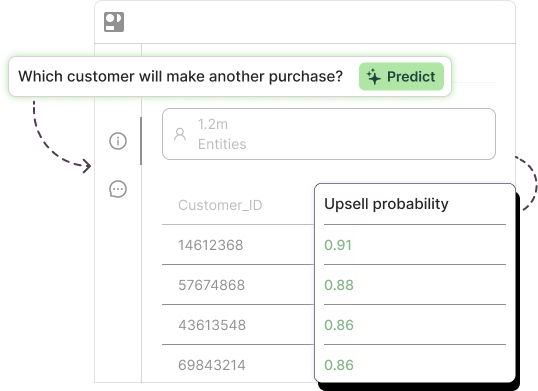
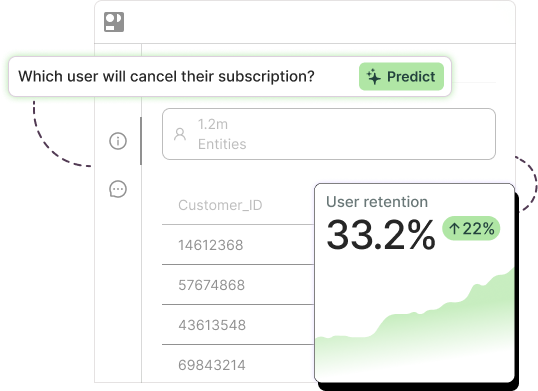
Most of what ChatGPT gets wrong in data analysis happens while no code is running.
That surprised me the first time I noticed it. When ChatGPT loads your CSV into its Python sandbox and runs pandas, the arithmetic is fine. A sum is a sum. The trouble shows up on either side of the code: in the assumptions it makes before the first line executes (which column is the date, whether those duplicate rows are real, what “N/A” means), and in the confidence it uses to narrate the result afterward. Add two structural problems, that the same prompt can return a different answer tomorrow and that a chat answer never becomes a model running inside your CRM, and you have the whole shape of the thing.
Which is why “ChatGPT sucks at analysis” (Reddit’s verdict) and “ChatGPT can analyze your data” (OpenAI’s) are both true and both useless. The useful question is narrower. Which parts of data work can you hand to a chat window, and at which point does a right-looking answer stop being one you can act on? That’s what this guide covers, whether you’re using ChatGPT for data science experiments or for a quick pivot before a meeting, and we’ll be specific about where our own team draws the line.
What ChatGPT does well for data work
Credit where it’s earned. For a lot of everyday data tasks, ChatGPT is the fastest tool most business teams have ever had.
Upload a spreadsheet and it will profile it: column types, null counts, obvious outliers, a first guess at what the table describes. OpenAI’s documentation (checked August 2026) says that for many analysis tasks ChatGPT writes and runs Python in a stateful notebook environment, so the cleaning, grouping, and charting you ask for is real computation. It drafts SQL well, especially when you paste in the schema. It explains an unfamiliar metric, or a colleague’s regression output, in plain English. It turns a messy export into a pivot and a chart in under a minute.
I use it this way most days. So does most of our analytics team. We wrote a longer piece on how LLMs and data analytics work together, and the short version is that LLMs have become the connective tissue around analysis: the part that reads, drafts, explains, and translates. That’s a real contribution, and the rest of this article only makes sense if you take it seriously.
ChatGPT limitations for data analysis
Five limitations matter for anyone running ChatGPT data analysis on real business tables. Each comes with an example of how it shows up in practice.
- It hallucinates on numeric reasoning when it isn’t running code. An AI hallucination is a confident, fluent answer with no grounding in the input, and for tables it means invented or misread values. Researchers at CWI Amsterdam tested general-purpose LLMs on table questions in May 2025 and found accuracy fell as tables grew, with the weakest results on averages, subtractions, and correlations. A June 2026 study from AWS AI Labs found that models cite the wrong cell or skip entire rows even when they understand the table’s structure. Example: ask for the average deal size across 3,000 rows pasted as text and you can get a plausible number that no row supports.
- It makes silent assumptions about data types and formats. A date written 03/04/2026 becomes March 4 or April 3 depending on the day. A revenue column stored as “$1,200” gets read as text, drops out of the sum, and the total still comes back looking complete. In the CWI study, when duplicate rows were planted in a table, models mentioned the duplicates in as few as 6% of responses and just kept computing. Example: a customer table with two records per person yields “churn rate: 14%” when the real figure is 9%.
- It isn’t reproducible. Run the same prompt three times and you can get three different answers, even with temperature set to zero. Thinking Machines Lab showed this in September 2025: 1,000 identical completions on one model produced 80 distinct outputs, because server batching changes the arithmetic path. Example: Monday’s “top 20 at-risk accounts” list won’t match Tuesday’s, and you won’t know which one to send to Customer Success.
- It hits context and scale limits on real tables. OpenAI’s hard cap is 512MB per file, spreadsheets have a practical ceiling near 50MB, and the sandbox can run out of memory loading a wide table well before that. There’s no live connection to Snowflake or BigQuery; every analysis starts from a manual export, and the notebook state can vanish when a session times out. Example: a 4-million-row events table doesn’t fit, so you pre-aggregate it, and the pre-aggregation is where your signal went.
- There’s no deployed model at the end. This is the one people underestimate. An answer in a chat window is a snapshot. A churn score that refreshes every Monday inside Salesforce, with accuracy tracked against what actually happened, is a system. ChatGPT can produce the first. It has no path to becoming the second. Example: you get a solid one-time list of likely churners in March. By June it’s stale, and nobody re-ran it.
These overlap with the broader limitations of generative AI, but data work sharpens them, because every one produces an output that looks finished.

The silent failure mode: confident wrong answers
Why does a wrong answer arrive in the same tone as a right one?
OpenAI’s own researchers published the clearest explanation in September 2025. In “Why Language Models Hallucinate,” Kalai, Nachum, Vempala, and Zhang argue that models guess because training and evaluation reward guessing over admitting uncertainty. On a test where a blank scores zero, bluffing is the winning strategy. Newer models hallucinate less. None have been trained to say “your table has duplicates, so I stopped.”
For data work this has one practical consequence. The failure is quiet by design, so you have to make it loud yourself. Three habits that do that:
- Ask to see the code, then check that code actually ran. The same prompt can trigger Python execution one time and a text-only reading of your table the next, and only one of those does arithmetic. If there’s no “view analysis” link on the response, treat the number as a guess.
- Ask for row counts before and after every join and filter, plus nulls per column. Most silent errors show up as a row count that changed when it shouldn’t have.
- Ask “what did you assume about this data?” before you ask “what did you find?” The assumptions answer is usually the more useful of the two.
ChatGPT data privacy and security: before you upload
Privacy is the question people ask us most, so let’s be specific. What follows reflects OpenAI’s data-use policy as updated March 13, 2026. Check the live page before you rely on it, because it moves.
On the individual plans (Free and Plus), OpenAI may use your conversations and uploads to train its models unless you opt out under Settings and then Data Controls. Temporary Chat is exempt: it skips history, memory, and training. For business products (Team, Enterprise, and the API), OpenAI states it does not train on inputs or outputs by default. Uploaded files sit in storage on a retention schedule that varies by plan, and admins on Enterprise workspaces get controls that individual users don’t.
Training is only half of it. ChatGPT data security is the other half: who inside your company can see the workspace, whether a data processing agreement exists, and whether a vendor review ever happened. A personal Plus subscription someone expensed is not a corporate contract, however good the settings look.
Before uploading anything customer-related, run this checklist:
- Confirm which plan you’re on and whether training is off for that plan.
- Strip direct identifiers. You can analyze churn without names, emails, or account numbers, so hash or drop them first.
- Aggregate where you can. Monthly totals by segment leak far less than row-level transactions.
- Use Temporary Chat for one-off analysis, and delete the conversation and the file when you’re done.
- Find out whether your company has a signed DPA with OpenAI. If nobody knows, the answer is no.

Can ChatGPT do predictive analytics?
Short answer: it can prototype and explain. It can’t replace a trained model on your own data for production predictions. We used to have two separate posts asking this question. The answer hasn’t changed, so we folded them in here.
We see the pattern often during customer onboarding, when a team arrives having already tried ChatGPT on the churn question. The transcript usually looks impressive. ChatGPT fits a logistic regression in the sandbox, reports an accuracy figure, and lists the top drivers. Then three things surface. The accuracy was measured on the same rows the model trained on. One of the “top drivers” turns out to be a field that only gets filled in after a customer cancels, which is data leakage, the most common way a prediction fools its author. And when the team re-runs the exact prompt, the driver list changes. None of that is a scandal. It’s what a prototype is.
One table shows the difference:
| Chat answer | Deployed model | |
| Freshness | Snapshot of one upload | Re-scores on a schedule against live data |
| Reproducibility | Same prompt, different result | Same inputs, same score, versioned |
| Accuracy measurement | Self-reported, often on training rows | Held-out validation, tracked against real outcomes over time |
| Leakage checks | None unless you ask | Enforced before training |
| Integration | Copy and paste | Writes into Salesforce, HubSpot, or your warehouse |
| Signals evaluated | Whatever fit in the prompt | Up to 1,500 from your raw tables |
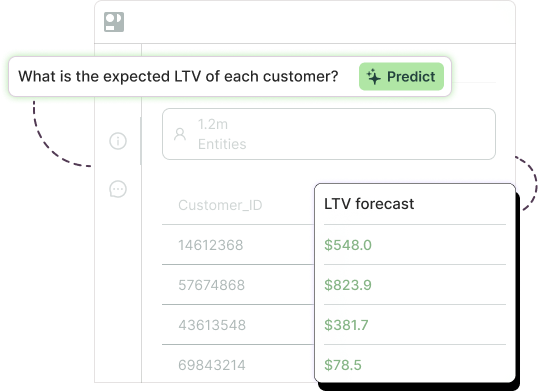
Pecan’s Predictive AI Agent is the right-hand column. You ASK the business question in plain English. It AUTOMATES the data prep and feature engineering on your raw, messy tables. It TRAINS AND VALIDATES with leakage prevention and a real holdout. Then it DEPLOYS into Salesforce, HubSpot, Snowflake, BigQuery, Redshift, or Databricks, and keeps scoring. We covered why the two kinds of AI split this way in our guide to generative vs predictive AI.
Proof, with published figures only. We used our own platform to replace manual lead grades with a predictive model. In 12 days the team turned 2,300+ leads into a daily scoring system, and lead conversion improved 3x. Whistle Express built a production churn model with Pecan and cut churn 30% in its most competitive markets. Neither result came out of a chat window, and both are still running.
When to use ChatGPT, and when to use a real model
Our own split, since candor is the point of this article. Our team uses LLMs every day for drafting SQL, writing data descriptions and documentation, summarizing model results for stakeholders, and explaining a metric to someone new to it. We never use them to train a model or to score a customer. The outputs can’t be validated, reproduced, or scheduled, and that rules them out on its own. An AI data analyst working today lives in exactly this split: an LLM for the words around the work, a trained model for the numbers that get acted on.
| Task | ChatGPT verdict | Better tool |
| Explore a CSV | Yes. Fast and good enough, once you’ve checked the code ran | ChatGPT is fine |
| Draft SQL | Yes, with the schema pasted in | ChatGPT, then run it yourself |
| Explain a metric or model output | Yes. This is its best use | ChatGPT |
| Predict churn | No. Prototype only | A validated model deployed on your data |
| Forecast demand | No. It can’t see your warehouse or refresh | A deployed forecasting model with scheduled re-scoring |

Put simply: LLMs for language, models for numbers. ChatGPT reads, drafts, explains, and translates better than anything we’ve had before. The part that predicts which customers leave next quarter needs a model that has seen your data, been validated against it, and gets re-scored when the data changes. That’s the part Pecan does. If you’ve already tried the churn question in a chat window and want to see the same question answered as a deployed model on your own tables, book a demo and bring the prompt. We’ll build the numbers part on your data while you watch.
What is the best ChatGPT for data analysis?
Can ChatGPT do Excel data analysis?
Which is the best AI for data analysis?
Is it safe to upload company data to ChatGPT?
Can ChatGPT predict customer churn?